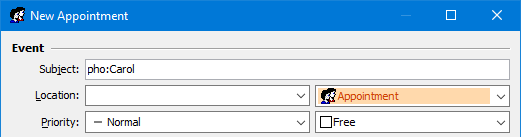
When you create or modify an item, you can easily change the item type from the Subject field. Just type the first 3 characters of an item type, followed immediately by a colon and then the program will remove the characters with the colon from the Subject field and will change the item type automatically.
 |
 |
| Change item type from the subject field directly (a) |
 |
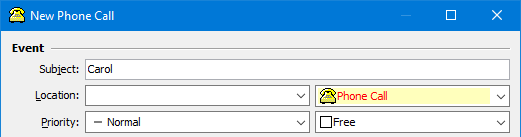 |
| Change item type from the subject field directly (b) |