 |
View by day, multi-day, work week, week, multi-week, month, year, or agenda |
| |
Intuitive, customizable views provide a clean environment that puts everything at your fingertips.
|
|
Agenda view |
| |
See a chronological list of appointments and tasks grouped by day.
|
|
Complete Task view (To-do list) |
| |
See all type of tasks, not only currently active ones but completed and overdue tasks as well.
|
|
Customizable time scale |
| |
Divide each hour in the Day and Multi-day views into 5, 6, 10, 15, 30, 60-minute intervals. Display work time only.
|
|
Recurring events |
| |
If an event occurs at regular intervals, you only need to schedule it once. Yet you can modify or delete single occurrences within a recurring event.
|
|
Timed, all-day, and multi-day events |
| |
Calendarscope makes it easy to see the duration of events in any view.
|
|
No due date? No problem! |
| |
Plan tasks that have no defined deadline or no due date at all. Choose yourself how often you want to be reminded about them.
|
|
Automatic calculation of the age of yearly events |
| |
Enter a value for a person's age or an anniversary and Calendarscope calculates the current number for each successive year.
|
|
iCalendar support |
| |
You can save any item(s) as an iCalendar .ics file to attach it to an email to share item details with other people. You can import iCalendar files into Calendarscope.
|
|
Availability calendar |
| |
You can save any part of your calendar as an iCalendar .ics file and share your availability with other people.
You can also print your calendar and include your availability only.
|
|
Google Calendar |
| |
Synchronize your desktop calendar with Google Calendar using
HandySync™ for Google.
|
|
Google Tasks |
| |
Synchronize your tasks with Google Tasks using HandySync™ for Google.
|
|
Android, Apple iPhone, iPad, iPod touch, Palm Pre, Pixi, RIM BlackBerry, Windows Phone 8 |
| |
Extend synchronization to mobile devices supported by Google using
HandySync™ for Google.
|
|
128 bit encryption |
| |
We offer you 128-bit encryption support, which is now the highest level of protection used in Internet communications. Secure your calendar data, and stop worrying about unauthorized access.
|
|
Spell check |
| |
Check the spelling of the text either automatically or manually.
|
|
Web calendars |
| |
Calendarscope makes it simple to save a month calendar in HTML to publish it to the Web or to a company intranet, using different styles: Integrated, Black and White, Red, Light, Blue, etc.
|
|
Tool tip window with upcoming reminders |
| |
Run DS Clock (our FREE utility) to show the tool tip window with upcoming reminders
and to synchronize your computer's clock with Atomic Time Servers.
|
|
Holidays |
| |
The holidays of over 30 countries are available for import into Calendarscope.
|
|
Color themes |
| |
Color themes allow you to adjust the look of the user interface.
|
|
Customizable item templates |
| |
You can use pre-defined Item templates, or create your own. Each Item template can have custom colors, font, sound, and reminder options.
|
|
Categories |
| |
Assign categories to items to easily find, sort, or filter them.
|
|
Color reminder windows |
| |
Set reminders for different item types to have their own colors, fonts, sound options, etc.
|
|
Hyperlinks in reminder windows |
| |
Calendarscope recognizes URLs and e-mail addresses that are placed in the Subject and Notes fields of item dialog boxes. So, for example, you can easily view a Web site using your default browser without having to copy and paste the address into your Web browser's address field.
|
|
Calendar color-coding |
| |
Identify each of your items with custom colors.
|
|
Searching |
| |
You can search the calendar for specific items or keywords using search operators AND, OR, NOT, etc.
|
|
Filtering |
| |
Customizable filters allow you to control what you see - for example, only meetings, or birthdays, or work-related tasks.
|
|
Archiving |
| |
The program can archive old items to a file in order to keep calendar data files manageable.
|
|
Backup and Restore |
| |
Calendarscope can create backups automatically. Restore feature allows user to restore calendar data from a backup, if the need ever arises.
|
|
Import and Export |
| |
The program supports data import and export in native and commonly-used file formats, including iCalendar (.ics), Outlook Data File (.pst). You can choose not to import duplicates, or to allow imported items to overwrite existing items.
|
|
Undo and Redo |
| |
The Undo and Redo commands can help you reverse mistakes you made or to reverse unintentional Undo actions.
|
|
Duplicates |
| |
The program allows yo to find and delete duplicates.
|
|
Deleted Items |
| |
Calendar items that are deleted from your calendar are moved to the Deleted Items area where they remain until you permanently delete them (manually or on exit).
|
|
Fully customizable views |
| |
Specify font faces, sizes, and other settings for each view.
|
|
Filter Pane |
| |
View items with specific text only.
|
|
Details Pane |
| |
View details of an item in your calendar without opening it.
|
|
Full Screen mode |
| |
This mode hides most screen elements so that you can view more of your calendar.
|
|
Zoom feature |
| |
Take a quick look at the items of a single day in any calendar view.
|
|
Custom settings for the first day of the week and the first week of the year |
| |
Choose any day of the week as your first day of the week, and specify the first week of the year.
|
|
Color Printing and Print preview |
| |
Calendarscope allows you to preview and then print items for any range of dates and hours using different customizable Print Styles.
|
|
Work in the taskbar status area |
| |
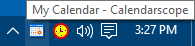
Calendarscope adds an icon in the notification area (also known as system tray), at the far right end of the taskbar. Right-click the icon to display a context menu with various commands. Double-click the icon to open the Calendarscope main window.
|
|
Run at system start |
| |
You can configure Calendarscope to start automatically when you turn on your computer.
|
|
Fully functional evaluation |
| |
The free evaluation version works exactly like the registered version.
|
|
Mobile users |
| |
Calendarscope Portable Edition runs perfectly from a USB flash drive, USB HDD, SD card, etc.
|
|
Network users |
| |
Calendarscope Network Edition
|
|
And much, much more... |
| |
|


